Available on iPhone & iPad

Icy Fishing for iOS

One-tap helicopter fishing arcade — catch jumping fish, beat your reflexes on frozen waters
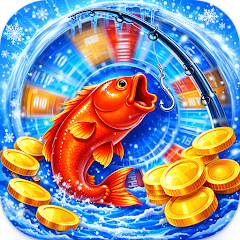
Icy Fishing App Icon
50+ Downloads
Everyone Age Rating
1.1 Version
Download on the App Store

Designed for Your iPhone & iPad

Fast-paced arcade fishing optimized for Apple devices

Native iOS Performance

Icy Fishing delivers smooth 60fps gameplay on iPhone and iPad through Metal-optimized rendering. The game uses iOS haptic feedback to confirm every successful catch — your device vibrates the instant a fish is hooked, creating tactile satisfaction beyond visual cues. On iPhone 12 and newer, precise haptic patterns differentiate blue, orange, and gold fish catches.

Universal App for All Apple Devices

One download works across your entire Apple ecosystem. On iPhone, the game presents in portrait mode optimized for one-handed play during commutes. iPad users get a landscape layout with larger tap zones and enhanced visual effects. The game saves your high scores to iCloud automatically, so switching from iPhone to iPad preserves your progress without manual sync.

Offline Play Anywhere

No internet connection required after the initial App Store download. The entire 45MB game runs locally on your device. Perfect for flights, subway rides, or remote areas. Your scores sync to iCloud when you reconnect, but gameplay never stops. The game respects Low Power Mode by reducing particle effects while maintaining full functionality.

App Store Details

Version 1.1
Developer STANDARTprom
Age Rating 4+
Requires iOS 12.0 or later
Compatible iPhone, iPad, iPod touch
File Size 45 MB
iCloud Sync Yes
Price Free
In-App Purchases No
Updated 26.04.2026

How to Get Icy Fishing on Your Device

Four simple steps from App Store to first catch

1

Tap Download Button

Tap the green "Download on the App Store" button above. You'll be redirected to the official Icy Fishing page on Apple's App Store. The page displays the app icon, screenshots, and full details.

2

Authenticate & Download

Tap the blue GET button, then authenticate with Face ID, Touch ID, or your Apple ID password. The download starts immediately. At 45MB, it takes 10-30 seconds on Wi-Fi, 1-2 minutes on cellular.

3

Wait for Installation

The app icon appears on your home screen with a progress circle. Once complete, the icon becomes fully colored. No additional setup files or data downloads required — the game is ready to launch.

4

Launch & Play

Tap the Icy Fishing icon to launch. The game loads in 2-3 seconds. No account creation, no login, no tutorial screens. Tap the play button and start catching fish immediately. High scores save automatically to iCloud.

Get Icy Fishing Now

Frequently Asked Questions

Everything you need to know about Icy Fishing on iOS

Icy Fishing requires iOS 12.0 or later. This includes all iPhone models from iPhone 5s onward, iPad Air and newer, iPad mini 2 and newer, and iPod touch 6th generation and later. The game runs on both 32-bit and 64-bit devices, though performance is optimized for 64-bit A9 chips and newer.
Yes, Icy Fishing is a universal app that works natively on both iPhone and iPad. On iPad, the game displays in landscape orientation with larger tap zones and enhanced visual effects. The 45MB download includes both iPhone and iPad assets, so you get the optimized version automatically based on your device.
The initial download is 45MB. After installation, the game occupies approximately 52MB including save data and cached assets. No additional content downloads occur during gameplay. The game does not generate large save files — your high scores and settings consume less than 100KB.
Yes, Icy Fishing works completely offline after the initial App Store download. No internet connection is required to play. Your high scores save locally on your device and sync to iCloud automatically when you reconnect. This makes it perfect for flights, subway commutes, or areas with no cellular coverage.
Yes, Icy Fishing version 1.1 includes iCloud sync for high scores and game progress. When you sign in with the same Apple ID on multiple devices (iPhone and iPad), your records transfer automatically. Sync happens in the background when connected to Wi-Fi or cellular data. You can disable iCloud sync in iOS Settings > [Your Name] > iCloud > Icy Fishing if preferred.
Yes, Icy Fishing is completely free to download and play with no in-app purchases. The game is ad-supported, showing occasional banner ads during gameplay. There are no paid upgrades, premium currency, or locked features. All game modes, fish types, and scoring mechanics are available immediately after installation.
Icy Fishing runs smoothly on all devices with iOS 12.0+, but iPhone 8 and newer deliver the best experience with 60fps gameplay and advanced haptic feedback. iPhone 12 and later models use precise haptic patterns that differentiate fish types. Older devices like iPhone 6s run the game at stable 30fps with reduced particle effects to maintain performance.
Yes, Icy Fishing supports Apple Family Sharing. Once you download the game, up to six family members can install it on their own devices using their Apple IDs without separate downloads. Each family member maintains independent high scores and progress. Family Sharing works across all compatible iOS devices.

What's New in Version 1.1

Latest improvements for iOS users

Release Notes

v1.1
  • Added iCloud sync for high scores across iPhone and iPad devices
  • Optimized Metal rendering for iPhone 13 Pro and iPhone 14 Pro 120Hz displays
  • Implemented haptic feedback patterns for iPhone 12 and newer models
  • Fixed touch detection delay on iPad Pro 11-inch (3rd generation)
  • Improved battery efficiency in Low Power Mode
  • Enhanced landscape layout for iPad Air and iPad Pro
  • Reduced app size by 8MB through asset compression
  • Added support for iOS 16 Lock Screen widgets (coming soon)

Start Fishing on Your iPhone Today

Free download. No account required. Works offline. Syncs across all your Apple devices with iCloud.

Download for iPhone & iPad

Requires iOS 12.0+. iCloud sync included. Age 4+. Free with ads. 45MB download.